
Job Publishing Checklist
Before publishing a job, click on the "Preview" option and make sure the following checks are done. Refer the Jobs Post Guidelines for how to create a job post.
Job Card |
(refer image 1)
- Company logo: must be fully visible inside the circle and not distorted in any way.
- Job title: Must be just as the company provided. Exclude additinal details like location/part time, etc.
- Excerpt: Very short description of role. Monthly salary details when available.
- Date: If the last day to apply is mentioned, the '#closes-yyyy-mm-dd' internal tag must be used. If no date is mentioned, theres no need to do anything; by default the published date will show up.
- Curator/s: By default the person who created the post will be tagged. Additional collaborators must be tagged when applicable.
- Tags must be in the following order:
- Company name
- Areas of work
- Job category
- Location (only state names) or "Remote"
- Employment type
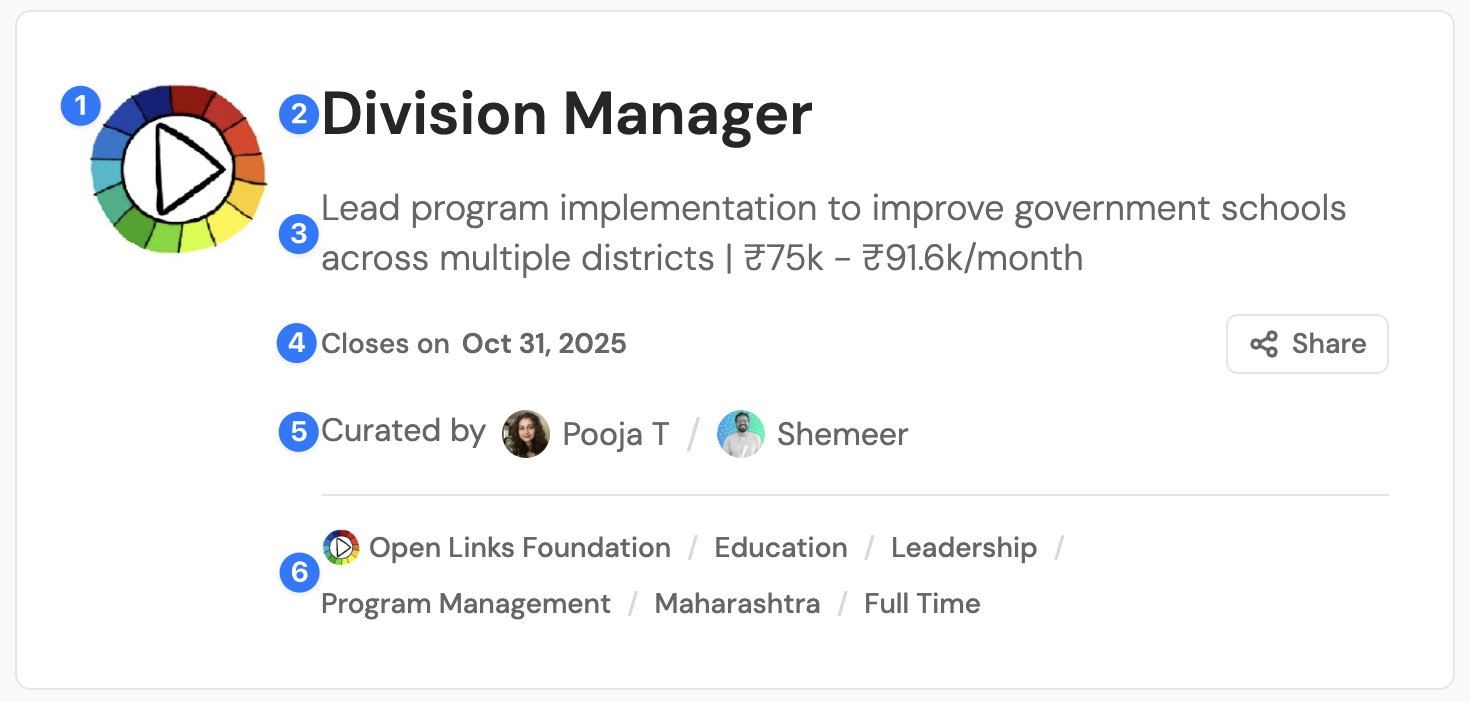
Image 1: This is a job card. It appears at the top of every job posting.
Table of Contents |
Table of contents must be in the following hierarchy (refer image 2):
Company name (H2)
Role (H2)
- Responsibilities (H3)
- Requirements(H3)
- Benefits(H3)
Apply (H2)
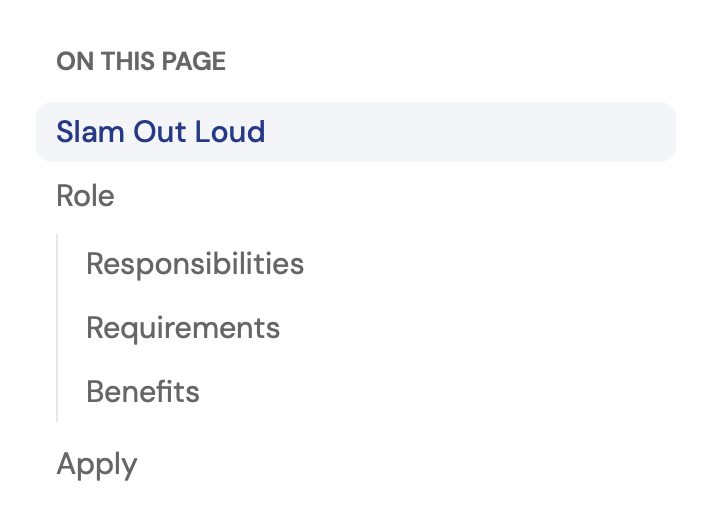
Image 2
Main section/Job Description |
Check 1 👉🏼 Quick look section at the very top of JD with the following details:
Location:
Experience:
Compensation:
Closes on:
Check 2 👉🏼 Organisation name (H2)
- YouTube video or photo gallery of their work
- Short summary of their work.
Check 3 👉🏼 Role (H2)
2-3 summary of the role followed by:
👉🏼 Responsibilities (H3)
👉🏼 Requirements(H3)
👉🏼 Benefits(H3)
Check 4 👉🏼 A sign up snippet between the 3 sections above.
Check 5 👉🏼 Apply (H2)
- Details of application and selection process when available.
- Apply button with application
Check 7 👉🏼 Meta Data
No comments to display
No comments to display